ATS Friendly Resume Guide 2026: Beat the Bots and Get More Interviews
75% of resumes never reach a human. Our ATS-friendly resume guide shows you how to pass screening — keyword tips, formatting rules & FREE Resume Optimization Checklist.
Author: Hira Riaz
Published On 1st June, 2026.
TABLE OF CONTENTS
The ATS Problem No One Warns You About
Estimated read time 20 minutes.
The ATS Problem No One Warns You About
This ATS friendly resume guide covers everything you need to know about beating automated screening systems.
Two years ago, I was hiring for an SEO specialist role at a fast-growing SaaS startup.
We received over 200 applications in just three days and most resumes were rejected within seconds. One resume stood out.
It was four pages long, and I almost skipped it. But one line caught my attention: “Increased organic traffic by 35%.” That candidate got the interview and the job.
That’s when I realized:
Your experience doesn’t matter if your resume isn’t optimized to be noticed.
What Is a Resume?
Difference between CV and Resume
Here’s something that confuses almost everyone I talk to.
A resume is a short, targeted document. It is usually one to two pages – that highlights your most relevant skills and achievements for a specific job. It’s what recruiters expect for 99% of corporate roles. Clean, scannable, and packed with impact.
VS
A CV (Curriculum Vitae) , on the other hand, is a long academic document often 5–10 pages; listing every publication, conference presentation, teaching role, research grant, and award. It’s used for faculty positions, research roles, or fellowships.
But here’s the reality check:
In most of the world – including USA, UAE, India, Pakistan, the UK, and Australia – the two words are used interchangeably.
I’ve seen hundreds of job postings that say “submit your CV” when what they really want is a 1–2 page corporate resume. I’ve also seen “resume” used for academic positions.
So what should you do?
Don’t get stuck on the name. Focus on what employers actually want. I’ve hired for roles across pharma, NGOs, and tech startups.
When I asked for a “CV,” I expected a clear, scannable document and not someone’s life story.
One candidate once sent me a 9‑page CV with every workshop they’d ever attended. I never finished reading it. Another candidate sent a tight, two‑page document that highlighted exactly what I needed. Guess who got the interview?
The rule is simple.
unless you’re applying for a university faculty position, a research grant, or a medical fellowship, assume they want a corporate resume. That means:
- 1–2 pages (max)
- Clean, ATS‑friendly formatting
- Bullet points focused on achievements, not duties
- No long lists of publications or conferences (unless relevant)
If you’re a fresh graduate, a project manager, a software engineer, or an HR professional – stick to the resume format. Call it a CV if you want, but keep it short and impactful.
And if you’re ever unsure? Read the job description carefully.
Sometimes they specify “academic CV required” or “include publications.” Follow their lead.
No recruiter ever complained that a resume was too clear and easy to read.
So from now on, when you hear “CV,” think of a corporate resume – unless you’re applying to a university. That mental shift will save you hours of confusion and help you get more interviews.
Now, back to the corporate resume strategies you came for.
What Is an ATS and Why Does It Secretly Control Your Job Search?
If you’ve ever applied for a job online and heard nothing back, there’s a good chance an Applicant Tracking System (ATS) screened you out before a human ever saw your resume.
An ATS is software that companies use to manage the flood of applications. It scans, sorts, and ranks resumes based on keywords, formatting, and relevance.
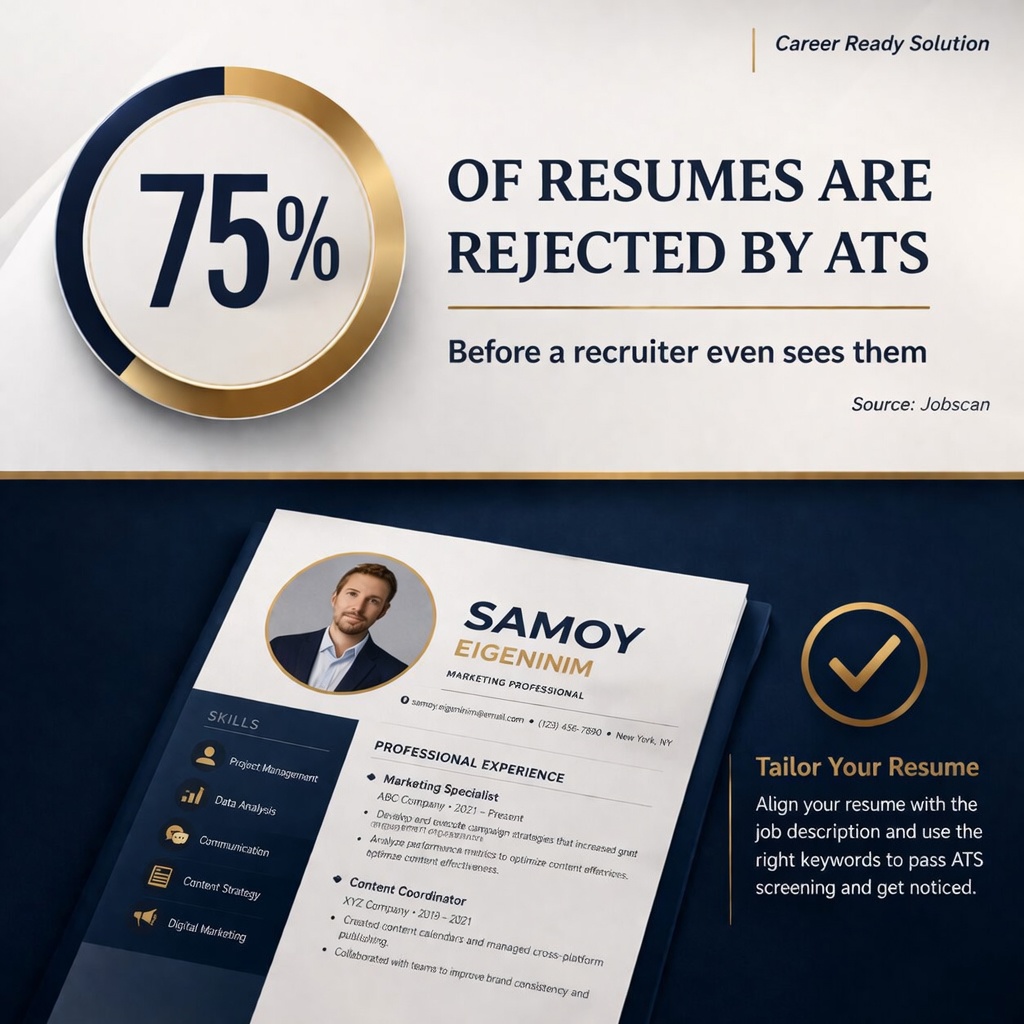
According to a 2025 report by Jobscan, over 97% of Fortune 500 companies use an ATS, and the average corporate job opening receives 250+ applications.
Let’s see how it works:
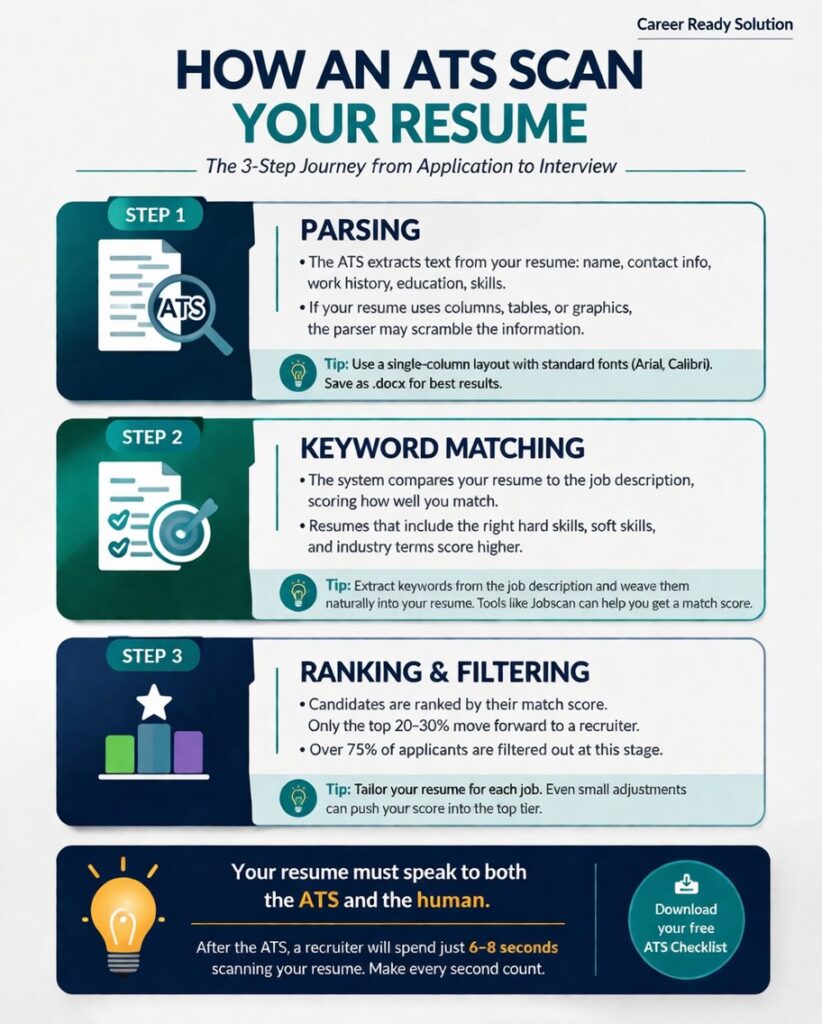
I’ve personally experienced how perfectly qualified candidates disappear because their resume used the wrong file format, had columns, or lacked the right keywords.
Even when a resume makes it past the ATS, a recruiter will spend an average of 6–8 seconds scanning it before deciding to read further. That’s a fact backed by research from The Ladders – and I can confirm it from my own experience.
In that tiny window, your resume must deliver a clear, compelling snapshot of who you are and why you matter.
“Your resume isn’t just a document; it’s a piece of code that must speak to both machines and humans.” – that’s my mantra.
The 5 Most Common ATS Resume Mistakes
(And How to avoid them)
Over the years, I’ve rejected more resumes than I can count. (Don’t hate me – keep reading.)
Most of them didn’t fail because the person lacked talent – they failed because of these seven mistakes.
Mistake 1: Using the Same Resume for Every Job
I once received a resume from a marketing professional applying for a digital marketing manager role.
The resume was packed with experience in events and print advertising – nothing wrong with that – but not a single word about SEO, social media, or analytics.
When I asked her about it, she said, “I use the same resume for all applications.”
So, you must be thinking how to fix?
Tailoring your resume isn’t optional.
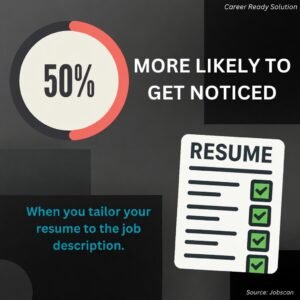
Jobscan found that tailored resumes are 50% more likely to get noticed. For each job, you should:
- Match the keywords from the job description.
- Reorder your bullet points to highlight the most relevant experience.
- Adjust your summary to reflect the role.

Mistake 2: Poor Formatting
Most ATS software cannot read multi‑column designs. The text gets scrambled, and important information ends up in the wrong fields.
The Fix
Use a single‑column, clean layout. Stick to standard fonts (Arial, Calibri, Helvetica). Avoid tables, text boxes, headers/footers, and images.
Save as a .docx file unless the job description specifically asks for PDF. (Why? Some older ATS systems parse .docx more reliably.)
Mistake 3: No Quantifiable Achievements – “Responsible for Sales” vs. “Grew Sales by 30%”
A candidate once submitted a resume that was a long list of duties: “Responsible for managing the team,” “Handled client accounts.” It told me nothing about what they achieved.
The fix: Replace duties with results.
Use numbers, percentages, and specific outcomes.
The research shows that resumes with quantified achievements were 40% more likely to receive an interview callback.
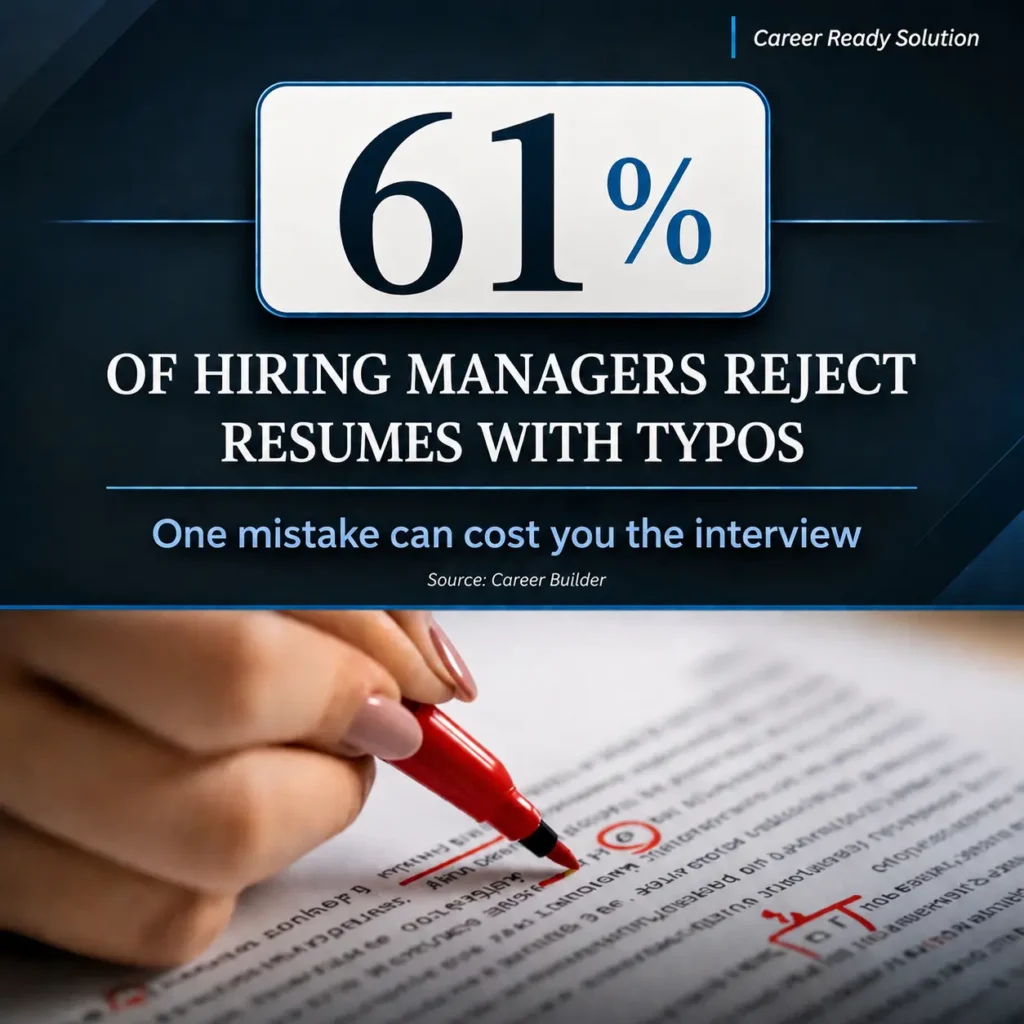
Mistake 4: Spelling and Grammar Errors
I’ve rejected a candidate for a content writing role because the resume said “Manageing social media.”
The candidate argued, “I’m not applying for an English teacher.”
But here’s the thing – if you can’t take the time to proofread your own resume, what message does that send about your attention to detail?
Mistake 5: Ignoring Soft Skills
Soft skills aren’t “soft.” They’re the reason you get hired or ghosted.
LinkedIn’s Global Talent Trends report found that 92% of talent professionals say soft skills matter as much as hard skills. Yet most candidates just list “communication” or “teamwork” without a single example.
Don’t tell me you’re a leader.
Show me.
Write: “Led a team of 8 to deliver a $2M project ahead of schedule.”
Or
“Led weekly cross‑departmental meetings to align 5 teams on project milestones, cutting delivery time by 15%.”
Spot any of these mistakes in your own resume? Get a free checklist to catch them before you apply.
Recognize this or another issue in your resume? Read these 10 reasons your resume may not be getting shortlisted and learn how to fix them before your next application.
How to Choose the Right Resume Format
There are three main resume formats: chronological, functional, and combination.
Lists experience in reverse order. Best for those with a steady career progression
Focuses on skills rather than timeline. Useful for career changers or those with employment gaps.
Merges both.
It’s my go‑to recommendation because it highlights skills while providing a clear work history.
For ATS, the chronological or combination format works best.
ATS software is designed to parse chronological work history. Functional resumes can confuse the parser because they lack clear dates.
I recently advised a client, Fatima, who was switching from teaching to corporate training. She had a 5‑year gap in her resume due to family responsibilities.
We used a combination format: a skills section at the top highlighting training design, curriculum development, and public speaking, followed by a concise work history.
She got three interview calls in two weeks.
If you’ve worked on your resume but still feel unsure about it, explore my One-to-One Resume Guidance.
ATS-Friendly Formatting Guidelines (Your Visual Checklist)
Here’s the exact formatting I use for all my own clients. Stick to these rules to ensure your resume gets parsed correctly.
Element
Do This ✅
Avoid This ❌
Font
Arial, Calibri, Helvetica, Georgia
Script, Comic Sans, narrow fonts
Font size
10–12 pt for body; 14–16 pt for headings
Smaller than 10 pt
Margins
0.5″ – 1″ on all sides
Less than 0.5″
File type
.docx (unless PDF is specifically requested)
.doc, .odt, .rtf (older formats)
Layout
Single column
Columns, tables, text boxes
Headers
Use standard headings: “Work Experience,” “Education,” “Skills”
Creative headings like “Where I’ve Been”
Bullets
Simple round or square bullets
Fancy symbols, images
Page count
1 page for less than 10 years experience; 2 pages max for senior roles
3+ pages
Why do these matter?
- ATS software reads left‑to‑right, top‑to‑bottom.
- Columns break that flow – text from the second column gets inserted after the first column, mixing unrelated information.
- Tables and text boxes often become unreadable.
- By keeping a single column and standard fonts, you ensure that everything you want the ATS to see is actually captured.
Use my easy hack:
Test your resume by copying and pasting the content into a plain text editor (like Notepad). If the information appears out of order or jumbled, the ATS will struggle too.
How to Find and Use ATS Resume Keywords
Let me walk you through two real examples; one in marketing, one in tech, so you can see the process in action.
Example 1: Digital Marketing Manager
Job description snippet:
“We are looking for a Digital Marketing Manager to lead our paid search and social campaigns. The ideal candidate will have experience with Google Ads, Facebook Ads Manager, data analysis, and A/B testing. Strong project management and communication skills are essential.”
Step 1: Extract keywords
- Hard: Google Ads, Facebook Ads Manager, data analysis, A/B testing
- Soft: project management, communication
Step 2: Identify synonyms/related terms
- Paid search, PPC, Meta Ads, analytics, experimentation, campaign management, stakeholder communication
Step 3: Integrate naturally
- Instead of: “Managed social media advertising.”
Write: “Managed $50k monthly budget across Google Ads and Facebook Ads Manager, driving a 25% increase in ROAS through continuous A/B testing and data‑driven audience segmentation.”
Example 2: Full‑Stack Developer
Job description snippet:
“We’re hiring a Full‑Stack Developer with experience in React, Node.js, AWS, and CI/CD pipelines.”
Step 1: Extract keywords
- React, Node.js, AWS, CI/CD pipelines
Step 2: Identify synonyms/related terms
- Cloud computing, DevOps, automated testing, cloud infrastructure
Step 3: Integrate naturally
- Instead of: “Worked on web applications.”
Write: “Built and deployed 5+ full‑stack applications using React and Node.js on AWS, implementing CI/CD pipelines that reduced deployment time by 40%.”
Tools to help:
Jobscan, SkillSyncer, and even ChatGPT can help you identify keyword gaps.
I often use Jobscan to compare a client’s resume against a job description and get a match score. It’s eye‑opening.
Keywords are powerful – but only if your formatting doesn’t break the ATS.
See how my ATS‑friendly templates keep your resume safe.
To get a step-by-step guide of ATS Resume keywords, give a read to How to use Right Resume Keywords.
Writing a Powerful Resume Summary
Your resume summary is the first thing a recruiter reads and it must hook them instantly.
Weak summary :
“Highly motivated professional seeking a challenging position in a reputable organization where I can utilize my skills and grow.”
Being a Recruitment consultant, I won’t pass it on. Period.
Your resume summary is your first impression and you need to make it specific. Start with your role and experience level. Then highlight the skills that matter most for the job and add one strong result that proves your impact.
You need to skip generic lines like “hardworking professional” and make every word earn its place. Use language that sounds like you, not a template.
The goal is simple: help the recruiter understand your value within seconds and give them a clear reason to keep reading.
To help you, I have added some examples in the table below.
Need an example that matches your experience level?
See my 20+ resume summary examples for fresh graduates, mid-level professionals, managers, and executives.
|
Role
|
Strong Summary
|
|---|---|
|
HR Professional
|
“HR generalist with 6 years of experience in tech and pharma. Reduced time‑to‑hire by 20% through streamlined recruitment processes. Passionate about employee experience.”
|
|
Software Engineer
|
“Senior software engineer with 8+ years of experience in fintech. Led migration to microservices, improving system uptime to 98%. Expert in Java, Spring Boot, and AWS.”
|
|
Sales Manager
|
“Sales leader with 10+ years in enterprise SaaS. Consistently exceeded quota by 30% year‑over‑year. Built and mentored teams of 5–10 reps.”
|
|
Project Manager
|
“PMP‑certified project manager with 7 years in construction. Delivered 15+ projects totaling $50M on time and under budget. Skilled in stakeholder management and agile.”
|
|
Content Writer
|
“Content strategist with 5 years in B2B tech. Grew blog traffic from 10k to 200k monthly visitors in 18 months. Expert in SEO, editorial planning, and team leadership.”
|
Behind the Hiring Table
A fresh graduate came to me with the weak summary: “Fresh graduate looking for an opportunity in HR.” After rewriting it to: “HR graduate with internship experience in full‑cycle recruitment at a 500‑employee tech firm. Reduced time‑to‑fill by 15% by streamlining interview scheduling,”
Her resume got shortlisted within a week. That one change made her stand out.

Showcasing Achievements with Numbers in Resume (The PAR Method)
Numbers grab attention and they prove your impact. I use the PAR method (Problem‑Action‑Result) to help clients quantify their achievements.
- Problem: What challenge did you face?
- Action: What did you do?
- Result: What was the measurable outcome?
|
Role
|
Before (Duty)
|
After (PAR)
|
|---|---|---|
|
Software Engineer
|
“Responsible for system maintenance.”
|
“Legacy system caused 20% downtime (Problem). Led migration to cloud infrastructure (Action). Reduced downtime to 2% and saved $100k/year in maintenance costs (Result).”
|
|
Sales Manager
|
“Managed sales team.”
|
“Regional sales were flat for two quarters (Problem). Implemented a new account‑based marketing strategy (Action). Increased regional revenue by 35% in Q3 (Result).”
|
|
Fresh Graduate (Intern)
|
“Assisted with social media.”
|
“Company’s social media engagement had dropped (Problem). Created a content calendar and launched weekly Instagram Stories (Action). Increased engagement by 200% over 3 months (Result).”
|
|
HR Generalist
|
“Handled employee relations.”
|
“Employee satisfaction scores fell to 65% (Problem). Introduced monthly skip‑level meetings and anonymous feedback tool (Action). Scores rose to 85% within 6 months (Result).”
|
|
Marketing Manager
|
“Ran email campaigns.”
|
“Open rates were below industry average (Problem). Redesigned subject lines and segmentation strategy (Action). Open rates increased by 45% and CTR doubled (Result).”
|
Even if you’re just starting out, you can quantify academic projects, volunteer work, or part‑time jobs.
Numbers make the abstract tangible.
Soft Skills vs. Hard Skills – How to Showcase Both in ATS Resume
Hard skills get you past the ATS; soft skills get you the job.
But you can’t just list “teamwork” and expect it to resonate. Instead, embed soft skills into your bullet points.
|
Soft Skill
|
Hard Skill Example
|
Integrated Bullet
|
|---|---|---|
|
Leadership
|
Project management
|
“Led a cross‑functional team of 8 to deliver a $2M software implementation on time and under budget.”
|
|
Communication
|
Client reporting
|
“Presented quarterly business reviews to C‑level executives, resulting in a 95% client retention rate.”
|
|
Problem solving
|
Data analysis
|
“Identified a bottleneck in the supply chain causing 10% delays; redesigned workflow and cut lead times by 20%.”
|
|
Adaptability
|
Technology adoption
|
“Transitioned the team to a new CRM system in 2 weeks with zero downtime by creating training materials and leading workshops.”
|
|
Collaboration
|
Cross‑departmental
|
“Partnered with engineering and product to launch 3 features in one quarter, reducing time‑to‑market by 15%.”
|
LinkedIn data shows that the most in‑demand soft skills are communication, leadership, and problem‑solving.
Use them – but always back them with evidence.
ATS Resume Length – One Page or Two?
There’s a myth that every resume must be one page and that’s not true. The right length depends on your experience.
- Entry‑level / less than 5 years: 1 page is ideal.
- Mid‑career (5–10 years): 1.5–2 pages is acceptable.
- Senior / executive: 2 pages is common.
I once worked with a senior HR director who had 20 years of experience and was trying to cram everything onto one page.
The font was tiny, margins were razor‑thin, and it looked overwhelming. I expanded to two pages, used proper spacing, and her callback rate improved dramatically.
What to cut?
- Old experience beyond 10–15 years,
- Irrelevant jobs (e.g., summer jobs from a decade ago),
- Hobbies that don’t relate to the job,
- Excessive detail under each role (stick to 3–6 bullet points for recent roles, fewer for older ones).
Curious how this applies to your specific industry or seniority? Check out the full guide for the detailed breakdown in Ideal Resume Length: How Many Pages in 2026?
Tailoring Your Resume for Each Job Application
Tailoring doesn’t mean rewriting your whole resume. It means making small, strategic adjustments. Here’s my 10‑minute process:
- Read the job description carefully. Highlight keywords (skills, tools, qualifications).
- Update your summary. If the role emphasizes “team leadership,” add a phrase like “with 5 years of team management experience.”
- Re‑order bullet points. Put the most relevant achievements first.
- Add missing keywords if you genuinely have that skill.
- Remove irrelevant details. If the job is in tech, de‑emphasize your retail experience.
Generic resume bullet:
“Managed social media channels, creating content and analyzing metrics.”
Tailored resume for a role emphasizing SEO and email marketing:
“Developed and executed an SEO strategy that increased organic traffic by 150% in 12 months. Managed email campaigns with 40% open rates and 10% CTR, the highest in the company.”
Behind the Hiring Table
A candidate, Zara, was applying for a content marketing role. The job description stressed “SEO” and “email marketing.” Her resume originally highlighted her social media management. I helped her re-order her bullet points: she moved her SEO case study to the top, added a bullet about email campaigns, and removed a line about managing Instagram filters.
Small changes can give big results. Being an HR consultant, I always advise candidates to tailor their resume.
How to Optimize Your Resume for LinkedIn & AI Search
Your resume is no longer just a document you email. Today, it feeds into multiple systems: LinkedIn Recruiter, AI‑powered screening tools, and even generative AI search engines like ChatGPT and Google’s Search Generative Experience (SGE).
If you optimize your resume with these in mind, you increase your chances of being discovered even before you apply.
Let me share a story.
A few months ago, I was recruiting for a senior HRBP role. I searched LinkedIn’s recruiter tool using keywords like “employee relations” and “HR transformation.”
One profile kept appearing at the top of my searches.
Her resume which she’d uploaded to her LinkedIn was perfectly aligned with her profile.
When I reached out, she told me she had spent hours making sure every keyword from her resume matched her LinkedIn headline, summary, and skills.
She didn’t just wait to apply; she made herself findable.
She got the interview and eventually the job before the role was even publicly posted.
That’s the power of optimization beyond the traditional resume.
1. LinkedIn Profile Alignment
Recruiters almost always compare your resume to your LinkedIn profile.
And, I always check linkedIn profiles of candidates too.
Inconsistencies in dates, job titles, or key achievements can raise doubts about your attention to detail and authenticity too.
Worse, they can get your application rejected.
What to align:
- Headline: Use the same role title and key expertise from your resume summary. Instead of “HR Professional,” use “HR Consultant | Talent Acquisition Specialist | HR Department Builder.”
- About Section: Mirror the language of your resume summary, but expand it into a short narrative. Include the same quantified achievements.
- Experience Section: Job titles, dates, and bullet points should match your resume exactly. If you tweak your resume for a specific job, update your LinkedIn accordingly (or at least ensure no contradictions).
- Skills Section: LinkedIn’s algorithm uses your skills to recommend you to recruiters. Add the same hard skills from your resume and get endorsements. Aim for top 3 skills with endorsements.

My take on ‘Open to Work’ banner:
Turn on the “Open to Work” feature (visible only to recruiters) and add notes about the roles you’re targeting. This signals LinkedIn’s AI to show your profile more often in recruiter searches.
2. AI Screening Tools
Many companies now use AI to prescreen resumes before they even reach an ATS. Tools like Ideal, HireVue, and Pymetrics evaluate language patterns, formatting, and even tone.
To pass:
- Use standard headings: “Work Experience,” “Education,” “Skills.” AI models are trained on these.
- Avoid graphics, tables, and columns – they confuse both ATS and AI screeners.
- Include a clean “Skills” section with 10–15 relevant hard skills. AI screeners often scan this section first.
3. AI Search Engines (Google SGE, ChatGPT, Perplexity)
Generative AI is changing how people find information.
Job seekers and recruiters now ask AI tools questions like “What are the best resume formats for ATS?” or “Find HR consultants with startup experience.”
Many candidates also use ChatGPT to draft resume content directly — if that’s you, make sure you’re doing it the right way.
I cover exactly how (and the mistakes to avoid) in Can ChatGPT Write My Resume? A Recruiter’s Honest Take.
Quick Checklist for AI & LinkedIn Optimization
- LinkedIn headline matches your resume’s target role.
- About section includes 2–3 quantified achievements from your resume.
- Experience section bullet points match your resume exactly.
- Skills section lists 10+ hard skills from your resume.
- “Open to Work” is on with preferred roles/locations.
- Resume uses standard headings, no columns, no graphics.
- Active voice and numbers are used throughout.
By taking these steps, you make yourself discoverable.
Not just for the jobs you apply to, but for the opportunities that come looking for you.
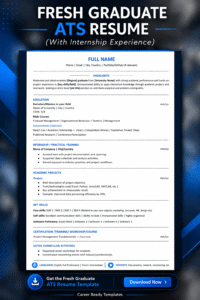
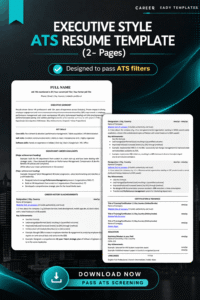
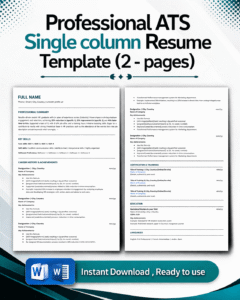
ATS‑Friendly Resume Templates – Why I Created Them?
After reviewing thousands of resumes, I realized that most people struggle with formatting and keyword optimization. I almost got these DMs daily on my LinkedIn;
What is an ATS friendly resume?
How to write an ATS friendly resume?
and can you give some tips to make ATS friendly resume? That’s why I created a set of ATS‑friendly resume templates for fresh graduates and experienced professionals.
These templates are designed to:
- Pass ATS parsing – single column, clean fonts, no tables.
- Highlight achievements – with built‑in sections for quantified results.
- Save time – just fill in your information.
Conclusion: Your Resume Is Your Career’s Front Door
When Hassan’s resume first landed on my desk, it almost got rejected because of formatting. But his achievements were so compelling that I gave him a chance.
He taught me that a great candidate can be hidden behind a poorly presented resume.
And when I think about the candidate I rejected over a typo, I’m reminded that small mistakes have big consequences.
You don’t have to be either of those people.
By applying the strategies in this guide from formatting and keywords to storytelling and quantifiable achievements, you’ll create a resume that works for you, not against you.
Instead of relying solely on job boards, combine your new application assets with a modern Job Search Strategy to uncover hidden, unadvertised roles.
A strong resume improves your chances of being noticed, but it cannot control what happens after you apply. If an employer suddenly goes silent, learn why recruiters ghost candidates and how to respond.
What happens next is up to how well you handle the interview; my comprehensive guide on Interview Preparation, covering STAR answers and salary negotiation picks up from here.
Now it’s your turn:
- Download my FREE Resume checklist to catch any last-minute issues.
- Grab a free ATS Resume Guide if you want a head start.
- Share this guide with someone who’s job hunting – they’ll thank you later.
If you have questions, Connect with me on LinkedIn (I have over 60,000 followers and I answer DMs).
I’d love to see your resume succeed.
P.S. – I review resumes every week. The ones that stand out are the ones that follow these rules. Yours can be next.
What is Resume Optimization?
Resume optimization is the process of improving your resume to pass ATS and attract recruiters. It includes:
- Using job-specific keywords
- Formatting clearly
- Highlighting achievements
- Tailoring for each job
- Removing irrelevant details
What You'll Learn
- How to beat ATS – and why 75% of resumes never reach a human
- 7 resume mistakes that kill your chances (and how to fix each)
- ATS formatting rules – fonts, margins, file types, layout
- Keyword secrets – find and use them from any job description
- The summary formula that hooks recruiters in seconds
- How to turn duties into achievements (PAR method)
- Soft vs. hard skills – how to showcase both
- Resume length – guidelines for every career stage
- Tailor your resume in under 10 minutes
- 10 insider FAQs + a free checklist to catch mistakes
Key Takeaways – Your Resume Optimization Cheat Sheet
Always tailor your resume for each job – it’s the #1 way to beat the ATS.
Use a single-column, ATS-friendly layout with standard fonts and no graphics.
Quantify your achievements – numbers and percentages prove your impact.
Extract keywords from the job description and weave them naturally into your resume.
Write a powerful 2-line summary highlighting your experience, skills, and achievements.
Align your LinkedIn profile with your resume – recruiters check both.
Optimize for AI screening using standard headings and a clean skills section.
Proofread ruthlessly – one typo can cost you an interview.
Use a professional email address and consistent name formatting.
Download my free resume checklist to double-check everything before you hit “Apply.”
Frequently Asked Questions (About Resumes & ATS)
Most ATS software cannot parse multiple columns correctly. Stick to a single column to ensure your information is captured.
Arial, Calibri, Helvetica, or Georgia. Avoid decorative fonts.
No. “References available upon request” is outdated. Use that space for more achievements.
Usually 10–15 years, unless earlier experience is highly relevant to the job.
.docx is safer for older ATS versions. However, many modern systems handle PDF well. If the job description doesn’t specify, I recommend PDF.
It varies by industry.
For tech: specific programming languages, frameworks. For marketing: Google Analytics, SEO, CRM. Always derive keywords from the job description.
If you’re applying to a creative agency or design role, you can submit a creative portfolio separately. But the ATS‑friendly version should still be your main submission.
In most countries (US, UK, Canada), including a photo is discouraged because it can introduce bias. In some regions (e.g., UAE, parts of Europe), it’s more common. If in doubt, leave it out.
List it as a separate entry (e.g., “Freelance Marketing Consultant”) with dates and key clients or projects, quantified similarly.
Yes, but use them as a starting point. AI can help you rewrite bullet points, suggest keywords, and improve clarity. However, you must personalize every output. Recruiters can spot generic AI‑generated language.
Use AI to brainstorm, then add your specific numbers, context, and authentic voice.
About the Author
Hira Riaz is an HR Consultant with 7+ years of experience hiring across tech startups, pharma, and NGOs. Having reviewed hundreds of resumes and interviewed candidates across roles, she brings real recruiter insights into what actually works in today’s job market.
She specializes in resume optimization, interview strategy, and career growth, helping professionals turn their experience into interview calls. She also shares practical career advice with 60,000+ professionals on LinkedIn.